
Vorschau
patterns/footer-1-dynamic.php
✔ Core
✔ Custom
patterns/footer-2-dynamic.php
✔ Core
✔ Custom
patterns/footer-3-dynamic.php
✔ Core
✔ Custom
patterns/footer-4-dynamic.php
✔ Custom
patterns/footer-5-dynamic.php
✔ Custom
Figma
Docs
Make sure that navigation menus have a correct accessible name. In WordPress, this is derived from the name of the assigned navigation menu.
How it works
The footer patterns are set up as <div> elements. This is correct, as they are included within <footer> in the template part for the footer.
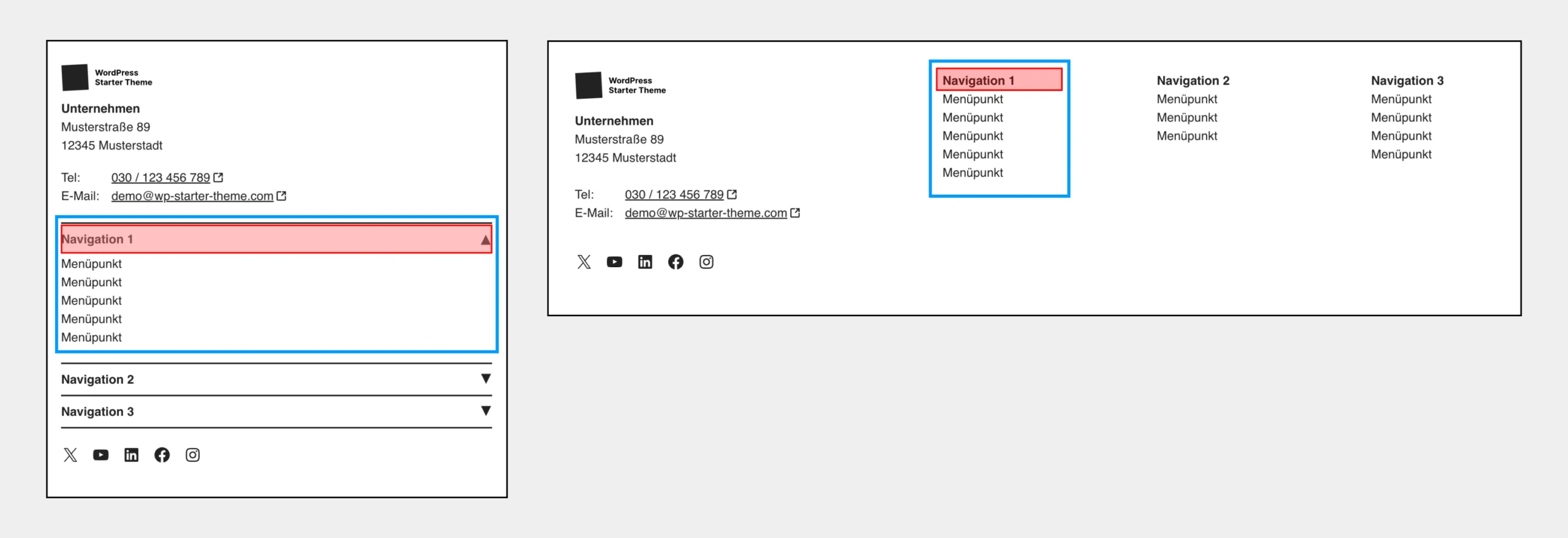
The navigation areas in the footer transform into accordions on small viewports, depending on the pattern. This behavior is activated when the following conditions are met:
- There is a container element with the class
.navigation-container--is-collapsible - Inside the container there is a
<p>tag with the class.navigation-titleand the desired navigation menu.
The back-to-top button is integrated into the footer via a function.
Notes
- If a language selector is placed in the footer (recommended over placing it in the header), a skip link should point directly to that navigation.
- Legal notice and privacy policy pages are legally required.
- The privacy policy page should not link to an external website, as different technical conditions typically apply there – for example regarding cookies.